
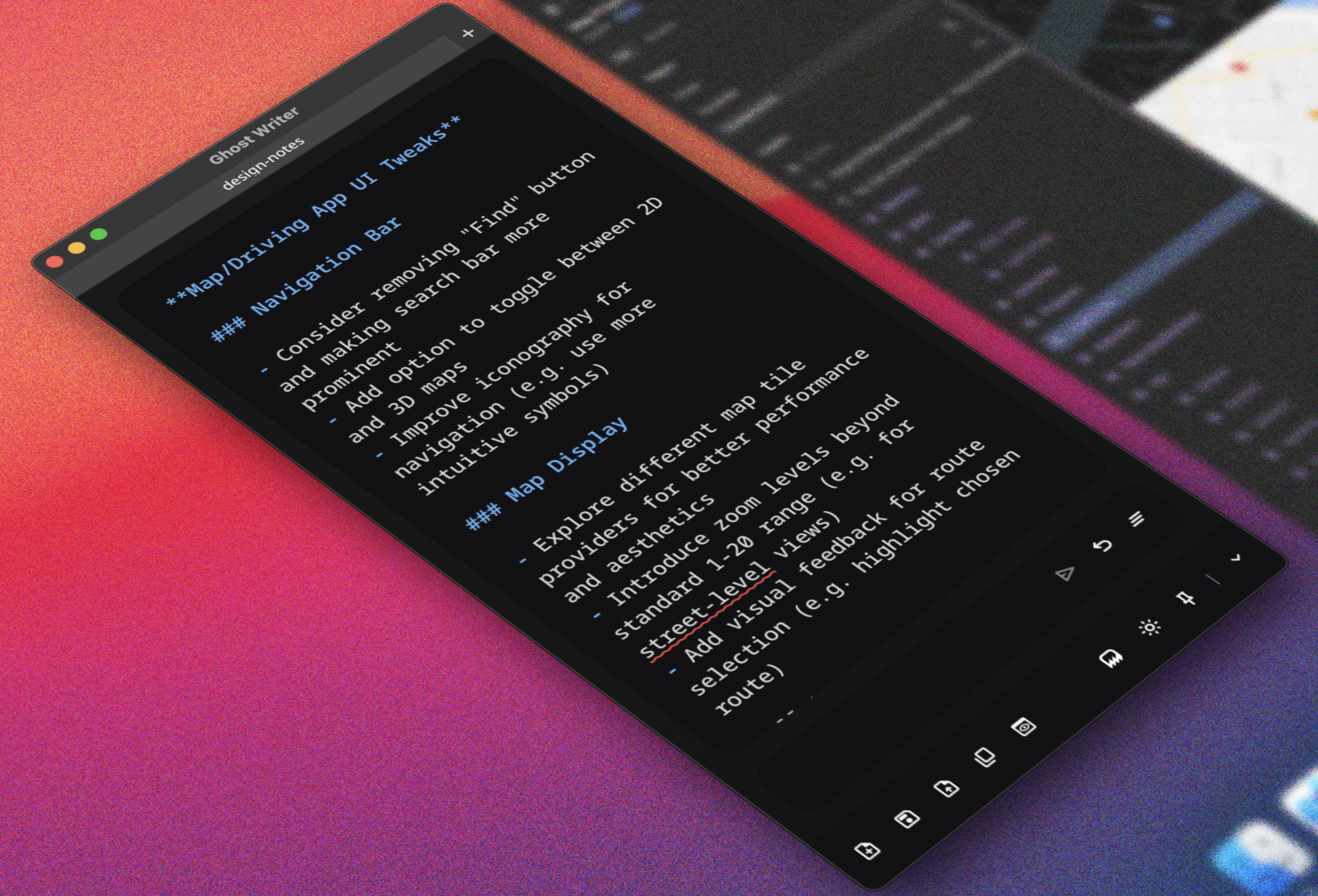
Ghost Writer
A Small, Private, AI Writing Environment
Case Study
Ghost Writer is a distraction-free text editor with built-in Ollama LLM editing and text generation. It’s an open-source desktop application for Mac and PC. It is less than 5MB in size, launches instantly, and works offline. It requires no API keys and has no subscription fees. None of your work is uploaded anywhere or used to train anything. Ghost Writer is a safe place.
It was designed to solve a simple but persistent problem: modern AI writing workflows are fragmented.
You write in one application.
You prompt in another.
You copy.
You paste.
You edit.
You repeat.
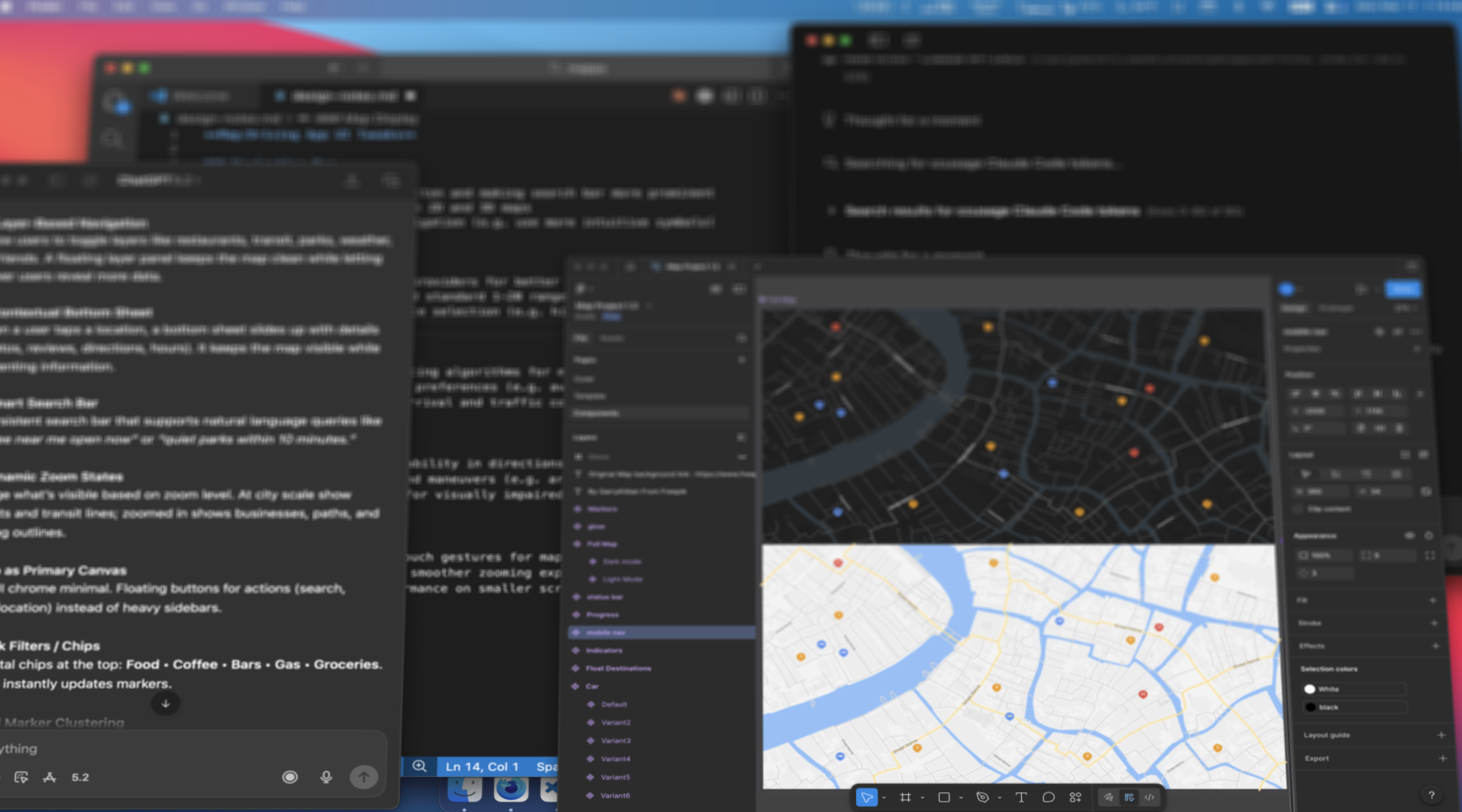
Workflow Fragmentation: Too many apps and too much context-switching for one writing task.
Over time, this constant context switching adds wasted time and energy. Not dramatically. But enough to break rhythm and open Twitter.
Ghost Writer collapses that loop into a single environment without distraction. The editor and the model live in the same space. The writing remains private and the workflow remains clean.
Small software can be pretty, powerful, and private.
The Problem
As I began building more AI-powered tools, I found myself writing Markdown constantly. Markdown had become the go-to language of AI systems, which works out for me because I really like the syntax and have been using it for more than a decade with the screenwriting software, Slugline. But recently, I found myself drafting documents in Google Docs, VSCode, Cursor, ChatGPT, Ollama sessions, Byword, even TextEdit and Notepad.
I loved using Ollama for local, private, and free generation, but I did not love copying its input and output back and forth into and from my document.
I did not love waiting for web UIs like Google Docs to load when all I wanted to do was jot down a quick idea.
I did not love the bulky and cumbersome “AI editors” on GitHub designed like enterprise dashboards.
And I definitely did not love paying API fees for anything.
I did not want a chat panel taking up half my screen. I did not want toolbars, crop marks, floating widgets, or integrations I would never use. I wanted something visually small, both vertically and horizontally, so it could sit beside my main screen like a drafting companion.
I searched for something like this. I even had an OpenAI agent search GitHub for me. If it had found the right tool, I would have happily used it.
I did not find one.
So I vibe coded one.
The Building Blocks
Ghost Writer is directly inspired by Byword.
Byword is my writing standard. It is minimal, calm, and free of distractions. I have relied on it for over a decade.
For years, I wished I could make it a narrower drafting column that could live beside whatever I was building, researching, or designing. I do this with TextEdit (Mac) and Notepad (PC), but those do not have built-in markdown syntax parsing. Byword is small, but not small enough.
It also does not have direct local LLM integration. Frankly, not much does. My goal is to exclusively use open-source local LLMs and be free of paid services.
As I started using different Ollama models, I loved the simplicity of Ollama’s interface. Especially the dropdown in the bottom corner that lets you swap models instantly.
I thought constantly: “If only Byword had this.”
Ghost Writer was born.
Design Non-Negotiables
From the beginning there were three principles.
First, the absolute top-of-mind goal end-to-end was to keep the user working, not distracted. The interface had to be simple, clean, elegant, and easy to look at. Cluttered UI is the enemy of creativity. Most importantly, it needed to be small.
Ghost Writer was intentionally designed to be narrow—400 pixels wide by default—and small enough to function as a drafting sidecar.
Second, local LLM integration had to feel frictionless. No DM’ing a chatbot buddy, no config personalization, no docs or GitHub tutorials. Setup and usage had to be simple.
Third, it should not reinvent the editor. It should feel like a normal Markdown tool with familiar functions and keyboard shortcuts. This was not an exercise to shake up text editor UX.
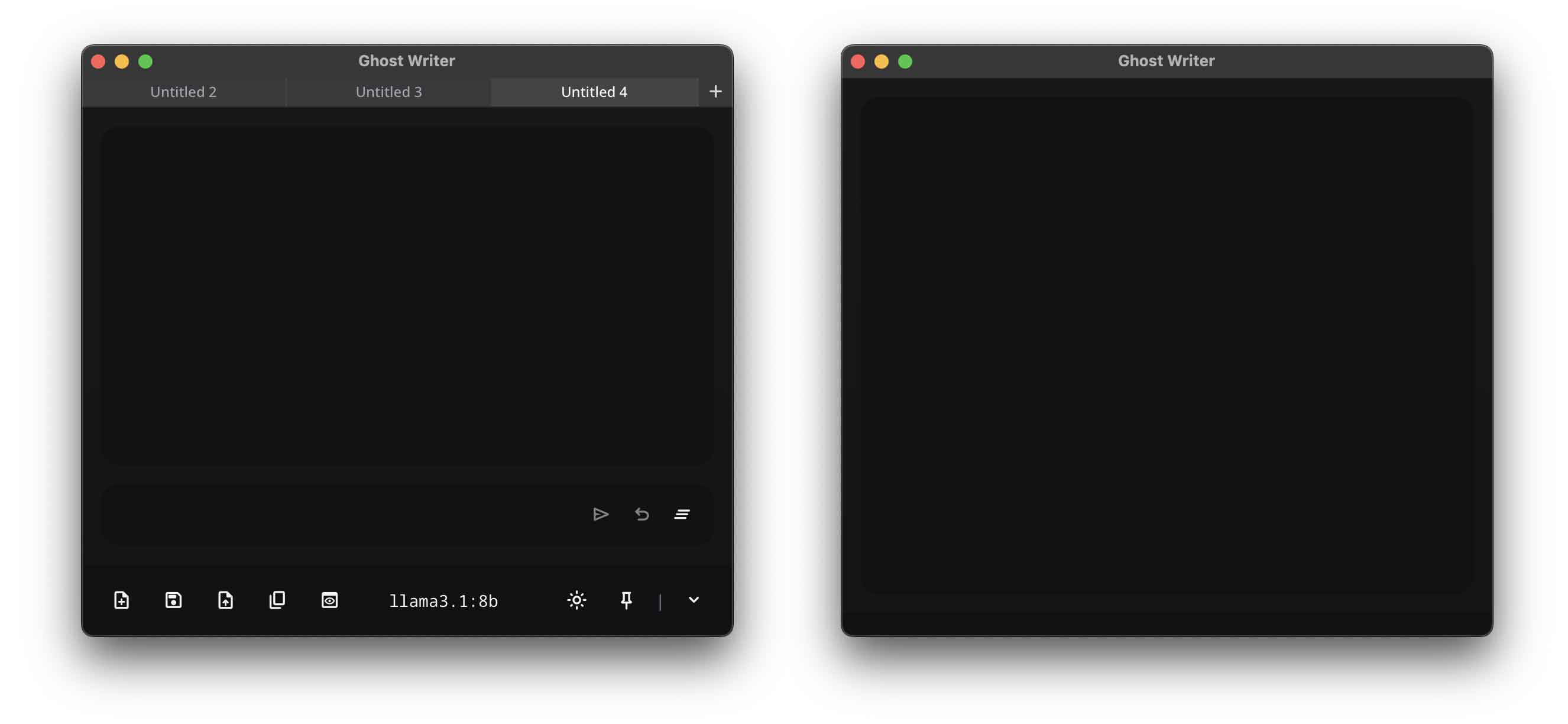
Design Minimalism: A clean and elegant design that can be stripped down completely.
Interaction Philosophy: AI Without Conversation
Ghost Writer does not include a chat history, a conversational transcript, or a sidebar of messages. The AI is not presented as a friend or chatbot that you talk to, but as a function of the document.
If text is selected and the user inputs "rewrite this text", it replaces only that text. If nothing is selected, it inserts at the cursor. The prompt input is intentionally one line tall. You communicate with the model, but you do not converse with it.
The goal is simple: users should think about their writing, not about socializing with an LLM.
Inline Prompt Tokens
The architectural feature I am most proud of is the inline token system.
You can write:
{{Expand this paragraph with a stronger counterargument.}}These tokens act like writer’s notes and make LLM integration even more frictionless. Instead of stopping, moving to a prompt input, generating, editing, and resuming, you stay in flow.
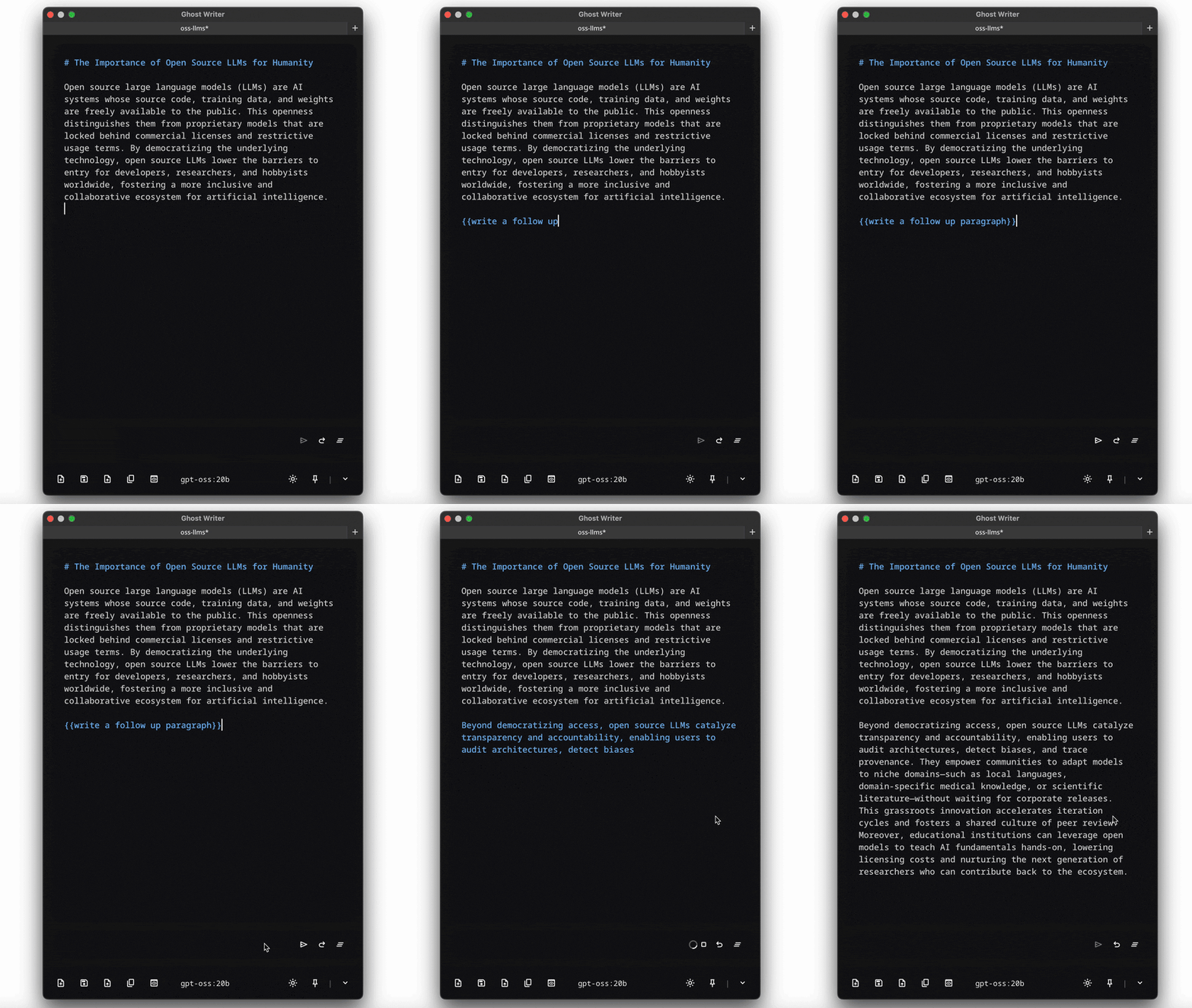
Inline Prompt Tokens: Leave directive notes in the document and resolve them in place.
At any point, you can process these sequentially. You can even chain them creatively:
{{Write an argument explaining why Michael Jordan is the best basketball player ever}}{{Debate the previous argument and explain how LeBron James is better in each category}}The document becomes an executable drafting surface. It feels less like messaging an AI and more like leaving notes to yourself. Except the notes can resolve instantly.
This was inspired by years of writing screenplays and leaving bracketed notes to myself like “Research what a nurse would actually do here” or “Translate this to Latin” or "Look up the standard military protocol for this situation" Those notes used to sit for days or months. Now they can be resolved immediately.
Live-Streaming
All text generation is live streamed. This was not a cosmetic frontend showcase but a practical decision.
Ghost Writer was designed to work on consumer-grade hardware. Local models take time to warm up. Without streaming, you see nothing but a repeating visual “heartbeat.” You hear your fan spin. You start wondering if something is broken.
Streaming shows you that it is working in real-time. The colored text (Mac-only) helps visually differentiate output from your draft. It lets you stop early if the model goes off track. It saves tokens, time, and energy.
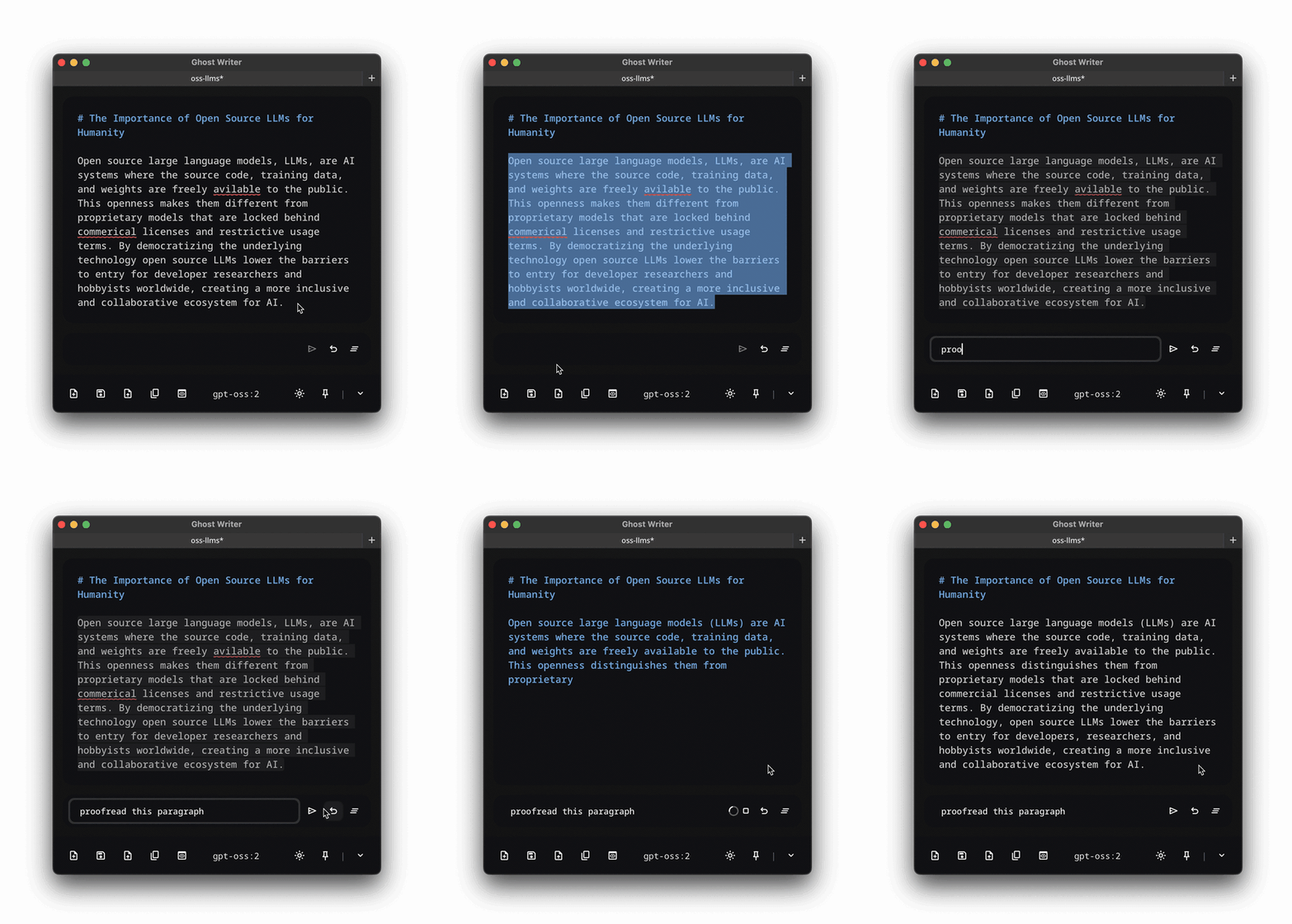
Streaming Output: Real-time generation that improves trust, control, and speed.
Why Desktop?
I initially ran Ghost Writer in the browser. But I kept opening Byword and TextEdit instead to do actual work.
They were in my Dock and launched instantly. You know? Because they are real apps.
Even with a launch script, navigating to the Ghost Writer project folder and spinning up a browser version was a drag.
Once I realized packaging it as a proper desktop app was achievable, that became the milestone. I wanted a real app with an icon. Something that lived alongside the tools I actually used.
Ghost Writer is built with Tauri rather than Electron. An early Electron MVP was roughly 80MB before most features were even added. Ghost Writer’s current build is under 5MB.
And since the first version was available for testing, I have not opened Byword or TextEdit since. Ghost Writer is now my go-to writing tool.
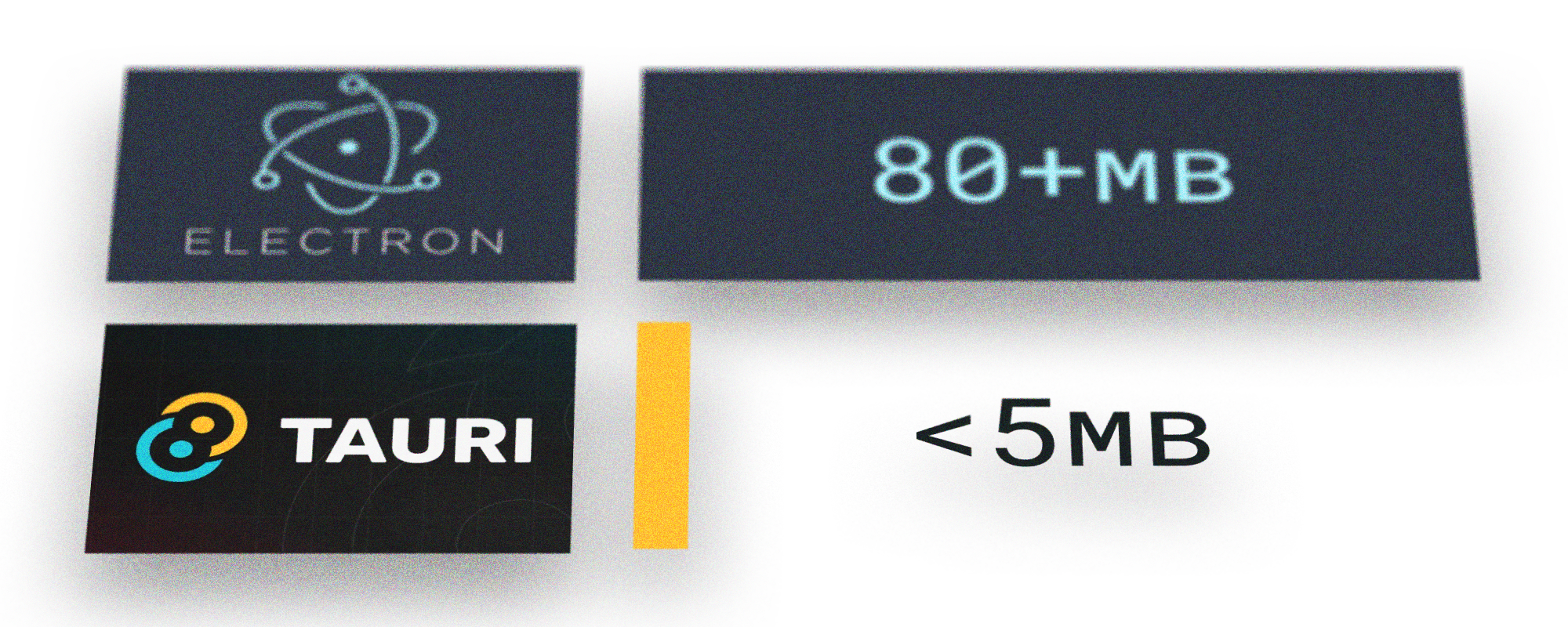
Tauri vs Electron: Small software was a core philosophy, not an afterthought.
Local-First AI Integration
Ghost Writer integrates with Ollama via its /api/generate endpoint.
I chose Ollama because it is familiar, popular, easy to install, and free. It is currently the most approachable open-source local LLM runner available. It allows offline usage and eliminates API charges.
When Ghost Writer launches, it loads available local models automatically. There is no config-file editing required, and model switching is instantaneous.
This keeps the user working and not fussing with settings.
Agentic Engineering Workflow
Ghost Writer was built entirely through AI-directed development. Whether you call it vibe coding or agentic engineering, I did not manually write or review the code.
Instead, I wrote structured, step-by-step implementation plans and executed them mostly through OpenAI's Codex CLI.
Every tested step was committed to GitHub. Every major milestone was pushed.
After significant iterations, I opened new agents—often in different systems or different models—and had them audit the entire repository. They generated structured cleanup lists. I executed those lists. I manually tested again.
The loop looked like this:
Plan → Build → Manual Test → Audit → Refactor → Re-test → Commit
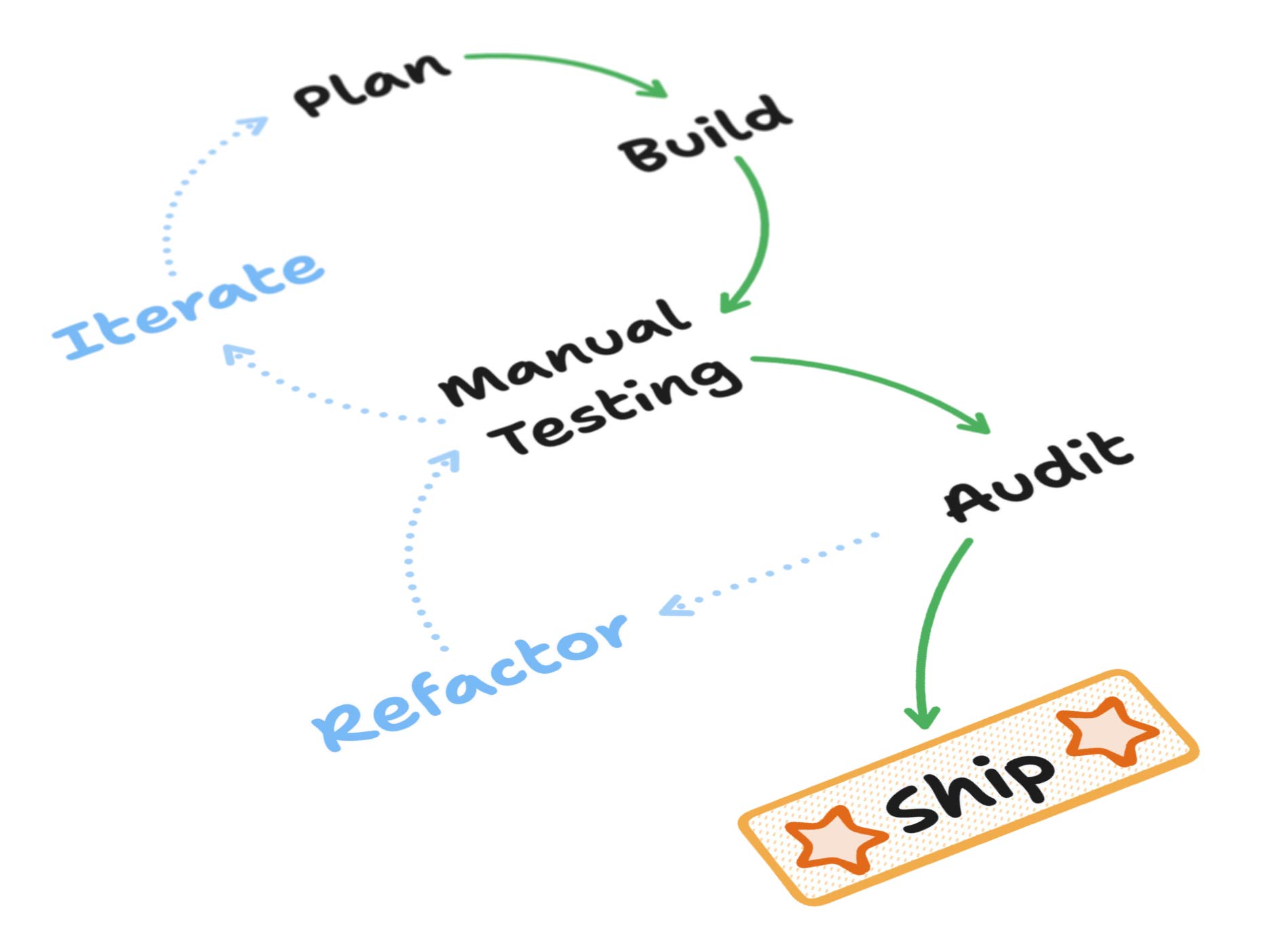
Agentic Workflow: disciplined iteration with multi-agent audits and manual validation.
Multiple agents auditing the same codebase reduced blind spots. Switching systems increased reproducibility. Persistence replaced guesswork.
The value here is not that I typed code. It is that I orchestrated architecture, scope, quality control, and UX integrity through AI systems.
Ghost Writer is less about “can I write a computer program” and more about “can I direct AI systems to ship stable and clean software.”
What I Deliberately Did Not Build
Ghost Writer does not integrate with Medium, WordPress, iCloud, Dropbox, or Google Drive. It does not include publishing pipelines. As mentioned, it does not include a multi-panel chat history.
It is not trying to be a platform. It is trying to be a small writing tool.
RAG integration, non-Ollama backends, and theme modularity are part of the v2.0 vision. They were not required for 1.0.
Built with Care
This was built through structured agentic development over threes monts of iteration.
The goal was never to create a revolutionary product. It was to create a useful, well-crafted tool that I could use daily.
Most importantly, it was never meant to be something I "vibe coded in a weekend". I look forward to continue improving it for years to come.
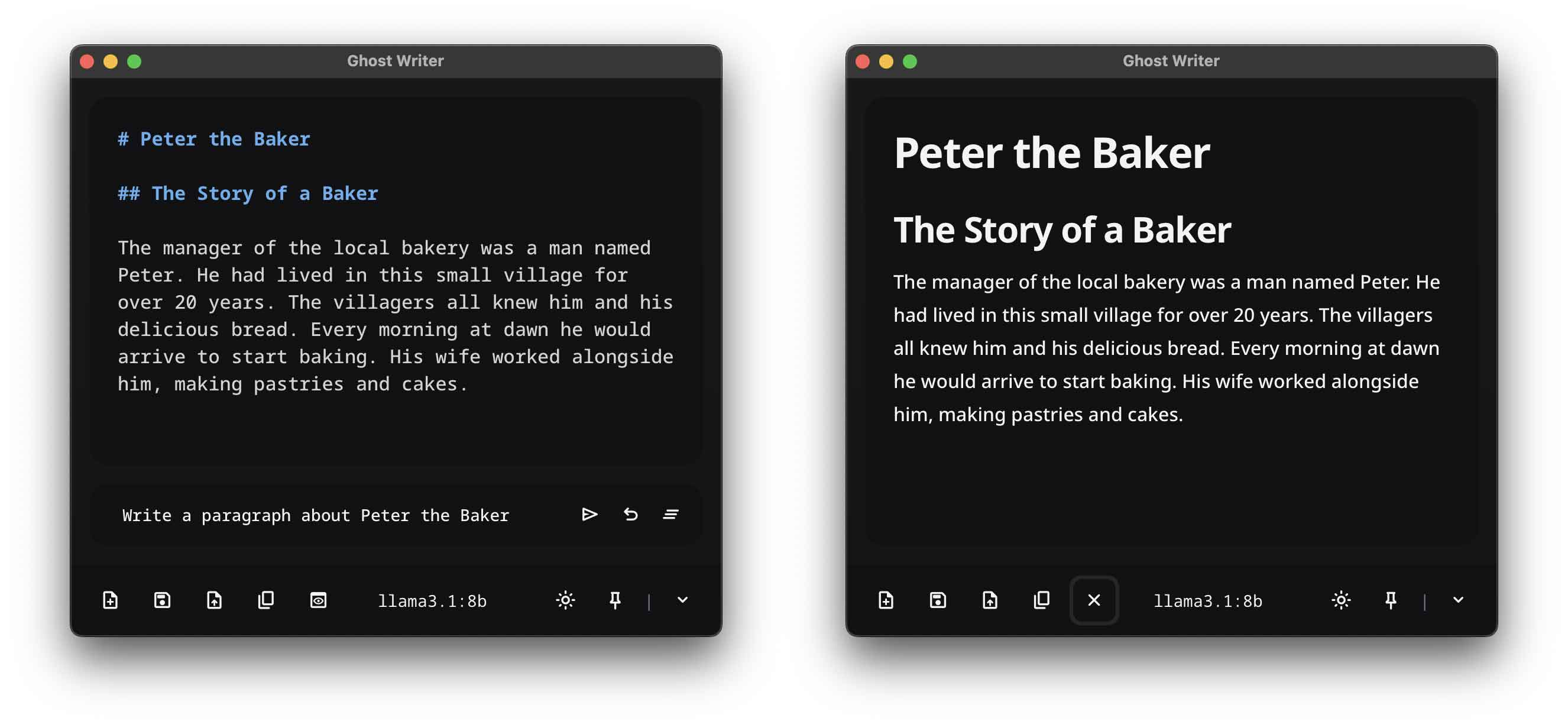
Markdown Rendering: Ghost Writer renders all Markdown syntax beautifully and elegantly.
What It Changed
Before Ghost Writer, many of my AI projects were creative experiments. They were fun, interesting, and niche but not much more.
Ghost Writer has universal utility. It is not a game or novelty but a tool.
It showcases how I think about AI applications. AI does not need to live in a separate window. It can live inside tools—invisibly, functionally, and productively.
What I Want You to See
If you are a long-time tech person, I do not expect you to be impressed that I wrote clever code. As I said earlier, I did not write any code.
I want you to see that I:
- Identify real workflow problems.
- Make principled UX decisions.
- Choose intentional constraints.
- Use AI systems strategically and honestly.
- Ship production-ready artifacts.
- Maintain discipline through iteration.
Ghost Writer exists because I needed it.
And because small software, when built intentionally, can still be powerful, private, and worth building.